

Print

Student Handout 2 - Reference Page: Innovation History Project

NETS: 2,3,4,5,6image.png


Lesson - Technology Foundations Series: Innovation through the 20th Century

The Technology Foundations Series teaches students to examine technology and innovation within the broader theme of time, continuity and change. Students explore technological innovation. Through research, they “reverse engineer” current digital products to discover the creative thinking process behind all the changes and evolution.

Student Handout 1 - Reference Page: Introducing SCAMPER

The Technology Foundations Series teaches students to examine technology and innovation within the broader theme of time, continuity and change. Students explore technological innovation. Through research, they “reverse engineer” current digital products to discover the creative thinking process behind all the changes and evolution.
Teacher Reference Page - Discussion Guide: Re-Discovering Modern History

The Technology Foundations Series teaches students to examine technology and innovation within the broader theme of time, continuity and change. Students explore technological innovation. Through research, they “reverse engineer” current digital products to discover the creative thinking process behind all the changes and evolution.
Student Handout 2 - Reference Page: Innovation History Project

The Technology Foundations Series teaches students to examine technology and innovation within the broader theme of time, continuity and change. Students explore technological innovation. Through research, they “reverse engineer” current digital products to discover the creative thinking process behind all the changes and evolution.

Student Handout 3 - Worksheet: Smartphone Mind Map

The Technology Foundations Series teaches students to examine technology and innovation within the broader theme of time, continuity and change. Students explore technological innovation. Through research, they “reverse engineer” current digital products to discover the creative thinking process behind all the changes and evolution.

Student Handout 4 - Reference Page: Smartphone Mind Map Example

The Technology Foundations Series teaches students to examine technology and innovation within the broader theme of time, continuity and change. Students explore technological innovation. Through research, they “reverse engineer” current digital products to discover the creative thinking process behind all the changes and evolution.

Print

Student Handout 3 - Worksheet: Smartphone Mind Map


Lesson - Technology Foundations Series: Innovation through the 20th Century

The Technology Foundations Series teaches students to examine technology and innovation within the broader theme of time, continuity and change. Students explore technological innovation. Through research, they “reverse engineer” current digital products to discover the creative thinking process behind all the changes and evolution.

Student Handout 1 - Reference Page: Introducing SCAMPER

The Technology Foundations Series teaches students to examine technology and innovation within the broader theme of time, continuity and change. Students explore technological innovation. Through research, they “reverse engineer” current digital products to discover the creative thinking process behind all the changes and evolution.

Teacher Reference Page - Discussion Guide: Re-Discovering Modern History

The Technology Foundations Series teaches students to examine technology and innovation within the broader theme of time, continuity and change. Students explore technological innovation. Through research, they “reverse engineer” current digital products to discover the creative thinking process behind all the changes and evolution.

Student Handout 2 - Reference Page: Innovation History Project

The Technology Foundations Series teaches students to examine technology and innovation within the broader theme of time, continuity and change. Students explore technological innovation. Through research, they “reverse engineer” current digital products to discover the creative thinking process behind all the changes and evolution.

Student Handout 3 - Worksheet: Smartphone Mind Map

The Technology Foundations Series teaches students to examine technology and innovation within the broader theme of time, continuity and change. Students explore technological innovation. Through research, they “reverse engineer” current digital products to discover the creative thinking process behind all the changes and evolution.

Student Handout 4 - Reference Page: Smartphone Mind Map Example

The Technology Foundations Series teaches students to examine technology and innovation within the broader theme of time, continuity and change. Students explore technological innovation. Through research, they “reverse engineer” current digital products to discover the creative thinking process behind all the changes and evolution.

Print

Student Handout 4 - Reference Page: Smartphone Mind Map Example

image.png


Lesson - Technology Foundations Series: Innovation through the 20th Century

The Technology Foundations Series teaches students to examine technology and innovation within the broader theme of time, continuity and change. Students explore technological innovation. Through research, they “reverse engineer” current digital products to discover the creative thinking process behind all the changes and evolution.

Student Handout 1 - Reference Page: Introducing SCAMPER

The Technology Foundations Series teaches students to examine technology and innovation within the broader theme of time, continuity and change. Students explore technological innovation. Through research, they “reverse engineer” current digital products to discover the creative thinking process behind all the changes and evolution.

Teacher Reference Page - Discussion Guide: Re-Discovering Modern History

The Technology Foundations Series teaches students to examine technology and innovation within the broader theme of time, continuity and change. Students explore technological innovation. Through research, they “reverse engineer” current digital products to discover the creative thinking process behind all the changes and evolution.

Student Handout 2 - Reference Page: Innovation History Project

The Technology Foundations Series teaches students to examine technology and innovation within the broader theme of time, continuity and change. Students explore technological innovation. Through research, they “reverse engineer” current digital products to discover the creative thinking process behind all the changes and evolution.

Student Handout 3 - Worksheet: Smartphone Mind Map

The Technology Foundations Series teaches students to examine technology and innovation within the broader theme of time, continuity and change. Students explore technological innovation. Through research, they “reverse engineer” current digital products to discover the creative thinking process behind all the changes and evolution.

Student Handout 4 - Reference Page: Smartphone Mind Map Example

The Technology Foundations Series teaches students to examine technology and innovation within the broader theme of time, continuity and change. Students explore technological innovation. Through research, they “reverse engineer” current digital products to discover the creative thinking process behind all the changes and evolution.

Print

Student Handout - Worksheet: What Are Wikis?

What are Wikis?image.png

Wikis are Web sites developed collaboratively by a community of users, allowing any user to add and edit content. Wikipedia is an example of an open encyclopedia.
However, not all wikis are encyclopedias. They can be used among a family to update family members about life events. They could be used by corporations for employees to post on topics and expertise.


Lesson - Wise Use of Wikis

Students learn about wikis, and they explore the beneficial uses of wikis in education. They use wiki technology to publish written work including links to online sources and digital media. Students plan, revise, edit, and incorporate peer feedback to produce quality written work based on an identified audience and purpose. Students adopt e-Safety and responsible use guidelines while engaged in this technology-based project.

Student Handout - Worksheet: What Are Wikis?

Students learn about wikis, and they explore the beneficial uses of wikis in education. They use wiki technology to publish written work including links to online sources and digital media. Students plan, revise, edit, and incorporate peer feedback to produce quality written work based on an identified audience and purpose. Students adopt e-Safety and responsible use guidelines while engaged in this technology-based project.

Print

Student Handout - Worksheet: Informing with Infographics

What are Infographics? image.png

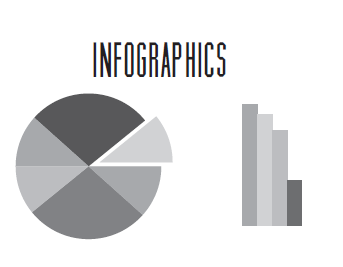
Infographics or information graphics present information by taking key words, concepts, and illustrations to create a visual information resource. Infographics can be found on nearly any topic. Key concepts of infographics:
   • Ideas are clarified visually
   • Graphs, tables and charts may be conbined into one image


Lesson - Informing with Infographics

Students practice media literacy by creating infographics based on a selected e-Safety topic. They select an infographic tool; integrate multiple sources of information; evaluate the credibility and accuracy of each source, and translate quantitative data or technical information into visual form.

Student Handout - Worksheet: Informing with Infographics

Students practice media literacy by creating infographics based on a selected e-Safety topic. They select an infographic tool; integrate multiple sources of information; evaluate the credibility and accuracy of each source, and translate quantitative data or technical information into visual form.

Print

Student Handout 1 - Reference Page: Multitasking

image.pngMultitasking. It’s a term we are familiar with but what exactly does it mean?



Lesson - Multitasking and Technology

Students discover that research dispels the concept of multitasking. They learn that the brain cannot truly focus on two tasks at once but rather must switch focus quickly from task to task. They then make applications to safety issues such as texting and driving, and academic issues related to studying while listening to music or watching videos.

Student Handout 1 - Reference Page: Multitasking

Students discover that research dispels the concept of multitasking. They learn that the brain cannot truly focus on two tasks at once but rather must switch focus quickly from task to task. They then make applications to safety issues such as texting and driving, and academic issues related to studying while listening to music or watching videos.

Student Handout 2 - Worksheet: Think About It - Multitasking, Technology & Safety

Students discover that research dispels the concept of multitasking. They learn that the brain cannot truly focus on two tasks at once but rather must switch focus quickly from task to task. They then make applications to safety issues such as texting and driving, and academic issues related to studying while listening to music or watching videos.

Print

Lesson Plan – Introduction to X: First Class Post

Description

Lesson Overview

The purpose of this lesson is to introduce X (formerly Twitter) as a tool within the classroom environment.


Unit - Safe Social Networking: X (Formally Twitter) for the K-8 Classroom

Unit - Safe Social Networking: X (Formally Twitter) for the K-8 Classroom

When used as an integral part of the classroom protocol and routine, Twitter can offer unique and meaningful learning opportunities that model responsible use of social media and improved communication between teacher, parents and students. Classroom integration activities are included.

Student Handout 1 - Reference Page: How to Make a Quality Tweet

Student Handout 1 - Reference Page: How to Make a Quality Tweet

When used as an integral part of the classroom protocol and routine, Twitter can offer unique and meaningful learning opportunities that model responsible use of social media and improved communication between teacher, parents and students. Classroom integration activities are included.

Teacher Reference Page 1 - Teacher Guide: Twitter for the K-8 Classroom

Teacher Reference Page 1 - Teacher Guide: Twitter for the K-8 Classroom

When used as an integral part of the classroom protocol and routine, Twitter can offer unique and meaningful learning opportunities that model responsible use of social media and improved communication between teacher, parents and students. Classroom integration activities are included.

Student Handout 2 - Reference Page: Twitter Etiquette

Student Handout 2 - Reference Page: Twitter Etiquette

When used as an integral part of the classroom protocol and routine, Twitter can offer unique and meaningful learning opportunities that model responsible use of social media and improved communication between teacher, parents and students. Classroom integration activities are included.

Student Handout 3 - Reference Page: Hashtag Savvy

Student Handout 3 - Reference Page: Hashtag Savvy

When used as an integral part of the classroom protocol and routine, Twitter can offer unique and meaningful learning opportunities that model responsible use of social media and improved communication between teacher, parents and students. Classroom integration activities are included.

Print

Student Handout 2 - Reference Page: Twitter Etiquette

Netiquette is made from the word “etiquette” and refers to using good manners (the way you behave) when communicating online. Twitter etiquette is about using good manners when using Twitter.

When using Twitter for school assignments, Twitter etiquette includes using the general rules of good behavior you use at school, as well as guidelines for producing good written work.

Twitter in School – Etiquette Tips:


Unit - Safe Social Networking: X (Formally Twitter) for the K-8 Classroom

When used as an integral part of the classroom protocol and routine, Twitter can offer unique and meaningful learning opportunities that model responsible use of social media and improved communication between teacher, parents and students. Classroom integration activities are included.

Lesson Plan – Introduction to X: First Class Post

When used as an integral part of the classroom protocol and routine, Twitter can offer unique and meaningful learning opportunities that model responsible use of social media and improved communication between teacher, parents and students. Classroom integration activities are included.

Student Handout 1 - Reference Page: How to Make a Quality Tweet

When used as an integral part of the classroom protocol and routine, Twitter can offer unique and meaningful learning opportunities that model responsible use of social media and improved communication between teacher, parents and students. Classroom integration activities are included.

Student Handout 3 - Reference Page: Hashtag Savvy

When used as an integral part of the classroom protocol and routine, Twitter can offer unique and meaningful learning opportunities that model responsible use of social media and improved communication between teacher, parents and students. Classroom integration activities are included.

Teacher Reference Page 1 - Teacher Guide: Twitter for the K-8 Classroom

When used as an integral part of the classroom protocol and routine, Twitter can offer unique and meaningful learning opportunities that model responsible use of social media and improved communication between teacher, parents and students. Classroom integration activities are included.

Teacher Reference Page 2 - Class Participation Permission Slip

When used as an integral part of the classroom protocol and routine, Twitter can offer unique and meaningful learning opportunities that model responsible use of social media and improved communication between teacher, parents and students. Classroom integration activities are included.

Teacher Reference Page 3 - Social Media Account Request Form

When used as an integral part of the classroom protocol and routine, Twitter can offer unique and meaningful learning opportunities that model responsible use of social media and improved communication between teacher, parents and students. Classroom integration activities are included.

Reference Page - COPPA: Protecting a Child's Right to Privacy

Students relate online privacy to personal safety in a class discussion about age-appropriate sites and apps. Through exploration of online registration forms and profiles, students discover the importance of following age requirements (COPPA) and protecting online identity. Students create a mock-up of a safe and secure online profile as part of their Empowerment Project: the designe of a virtual world called Sock Puppet Nation.

Print

Student Handout 1 - Reference Page: How to Make a Quality Tweet

A tweet is limited to 140 characters, so it usually takes some thought to make the best use of those characters!

A Quality Tweet is:


Unit - Safe Social Networking: X (Formally Twitter) for the K-8 Classroom

When used as an integral part of the classroom protocol and routine, Twitter can offer unique and meaningful learning opportunities that model responsible use of social media and improved communication between teacher, parents and students. Classroom integration activities are included.

Lesson Plan – Introduction to X: First Class Post

When used as an integral part of the classroom protocol and routine, Twitter can offer unique and meaningful learning opportunities that model responsible use of social media and improved communication between teacher, parents and students. Classroom integration activities are included.

Student Handout 2 - Reference Page: Twitter Etiquette

When used as an integral part of the classroom protocol and routine, Twitter can offer unique and meaningful learning opportunities that model responsible use of social media and improved communication between teacher, parents and students. Classroom integration activities are included.

Student Handout 3 - Reference Page: Hashtag Savvy

When used as an integral part of the classroom protocol and routine, Twitter can offer unique and meaningful learning opportunities that model responsible use of social media and improved communication between teacher, parents and students. Classroom integration activities are included.

Teacher Reference Page 1 - Teacher Guide: Twitter for the K-8 Classroom

When used as an integral part of the classroom protocol and routine, Twitter can offer unique and meaningful learning opportunities that model responsible use of social media and improved communication between teacher, parents and students. Classroom integration activities are included.

Teacher Reference Page 2 - Class Participation Permission Slip

When used as an integral part of the classroom protocol and routine, Twitter can offer unique and meaningful learning opportunities that model responsible use of social media and improved communication between teacher, parents and students. Classroom integration activities are included.

Teacher Reference Page 3 - Social Media Account Request Form

When used as an integral part of the classroom protocol and routine, Twitter can offer unique and meaningful learning opportunities that model responsible use of social media and improved communication between teacher, parents and students. Classroom integration activities are included.

Reference Page - COPPA: Protecting a Child's Right to Privacy

Students relate online privacy to personal safety in a class discussion about age-appropriate sites and apps. Through exploration of online registration forms and profiles, students discover the importance of following age requirements (COPPA) and protecting online identity. Students create a mock-up of a safe and secure online profile as part of their Empowerment Project: the designe of a virtual world called Sock Puppet Nation.

Print

Reference Page - COPPA: Protecting a Child's Right to Privacy

Description

COPPA LAWS: Protecting a Child’s Right to Privacy

The Children’s Online Privacy Protection Act is a set of laws, passed in 1998, that protects the online privacy of persons under the age of 13. Online service providers must notify parents and gain consent before collecting personal identifying information (e.g. name, birthdate, age, gender) from children. Additional identifying information includes geolocation data (GPS); images, videos, and audio files of the child’s voice; Web browser cookies; a mobile device identifier (IMEI number); and the IP address of a computer or device.


Student Handout - Reference Page: COPPA

Student Handout - Reference Page: COPPA

Students recognize the importance of protecting online identity by engaging in class discussion. They list types of information that reveal personal identity; explain the purpose of protecting online identity; discuss the risks of revealing personally identifiable information; evaluate online profiles and behaviors for security and identity protection, and create a sketch of an online registration form and user profile for people under age 13.

Subscribe to Science